Table of contents
Open Table of contents
Why commit conventions matter
One of the first concerns I had when I started learning about Git and version control was how to name commits. Could I put anything? Anything would do? Luckily, I got an answer soon after.
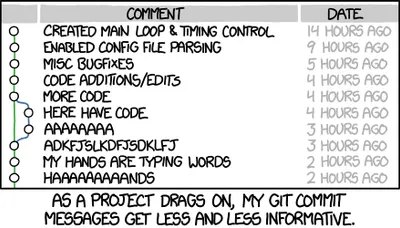
Today I’m here to talk briefly about Conventional Commits, a standard for naming commits that helps us all understand each other better.
Although it’s not the way I originally started naming the commits of this blog’s repo, I’ve used it during all my professional career and in almost all the rest of the repositories except for this one (like for example the repository from my project of the Dog Shelter API), but now I’ve decided that for convenience I’m going to apply it here too, so why not talk a bit about it?
What are Conventional Commits?
Conventional Commits is a convention for commits.
I’m a genius. End of post.
Okay, I’m kidding. But something like this. Their same web defines it as:
The Conventional Commits specification is a lightweight convention on top of commit messages. It provides an easy set of rules for creating an explicit commit history; which makes it easier to write automated tools on top of.
In short, it’s a way to name commits so that we’re all on the same page and to make logs easier to read, among other things.
What is it about?
Actually this specification is quite simple, to name a commit we need to follow a specific structure: we need to indicate a type, an optional scope, and a description. In addition to the name we can include a body and a footer.
<type>[optional scope]: <description>

[optional body]

[optional footer(s)]
The use of these types is defined according to certain criteria:
type: Specifies the nature of the change and can be one of the following:

    feat: A new feature
	fix: A bug fix
	docs: Changes to documentation
	style: Changes that do not affect the meaning of the code
	refactor: Refactoring of code without functional changes
	test: Adding or fixing tests
	chore: Updating of build tasks or auxiliary tools, etc

scope: (Optional) Indicates the part of the code affected (e.g. api, core, ui).

description: A brief description of the change made.
If we apply this, some examples of commit names that follow this specification would be:
feat(api): add endpoint to get users
fix(auth): fix token validation error
docs(readme): update installation instructions
style(core): format code according to new PEP8 rules
refactor(ui): simplify search component logic
test(core): add tests for login functionality
chore(deps): update project dependencies
Integrating with gitmoji
If we want, we can also integrate Conventional Commits with another commit convention (yes… I know) like Gitmoji, which is an initiative to standardize and explain the use of emojis on GitHub commit messages.
This way, each type of commit corresponds to an emoji placed just after the semicolon and before the description:
- feat(): ✨ ->
:sparkles: - fix(): 🐛 ->
:bug: - docs(): 📚 ->
:books: - style(): 💎 ->
:gem: - refactor(): 🔨 ->
:hammer: - perf(): 🚀 ->
:rocket: - test(): 🚨 ->
:rotating_light: - build(): 📦 ->
:package: - ci(): 👷 ->
:construction_worker: - chore(): 🔧 ->
:wrench:
Addons and tools
As I mentioned before, another advantage of this format is that being formatted in a standardized way, it allows us to create useful tools around it.
Examples of tools based on this are:
- git-cliff: a tool that allows us to generate changelog files from the Git history.
- convco: a useful commit cli built with Rust.
- commitizen: a release management tool designed for teams.
If you want, you can see many many more in this part of their official website.
Note: The image at the beginning is from the famous comic xkcd.